Conversations
How can I see all the questions and generated answers?
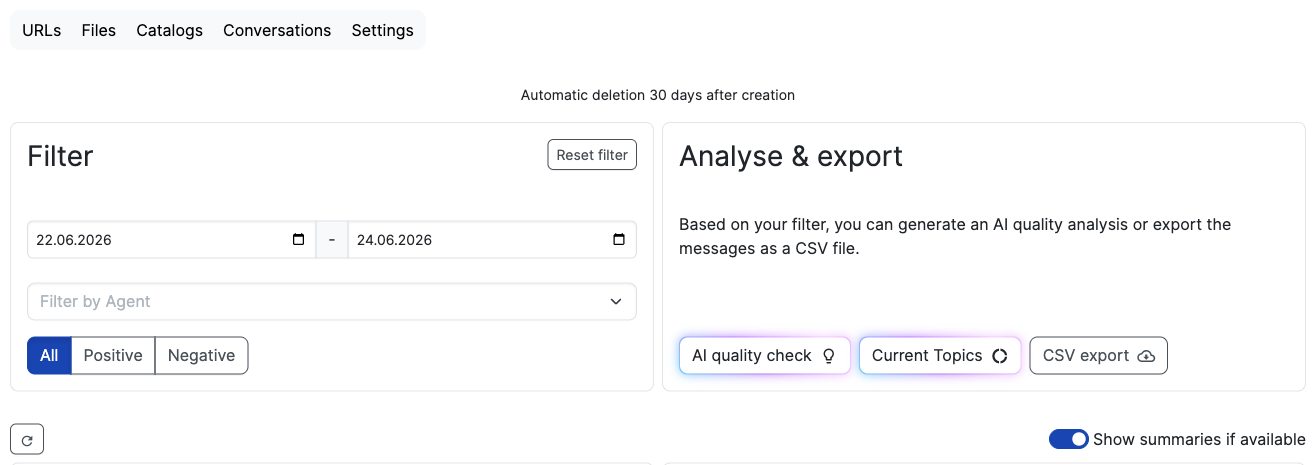
You can see the last generated messages. Go to the message tab and here you can filter by agent, type of failed reply (without feedback, fallback), user reaction to the answers (👍 👎) or resolution status. If internal IP address ranges are configured for your tenant, an additional filter lets you narrow messages down to internal or external origin, which is useful to exclude test traffic from your own office network when reviewing customer conversations.
Use the "Show summaries" toggle above the message list to show or hide the AI-generated summary for each message. It is enabled by default.
Every conversation gets an automatic resolution rating: the AI determines in the background whether the user's request was resolved and assigns an outcome, for example Confirmed, Assumed, Escalated, Abandoned or Unresolved. In the conversation detail view this appears as a badge next to the sentiment. Use the Resolution filter above the list to narrow the conversations down by outcome. The filter also applies to the AI quality check and the CSV export.
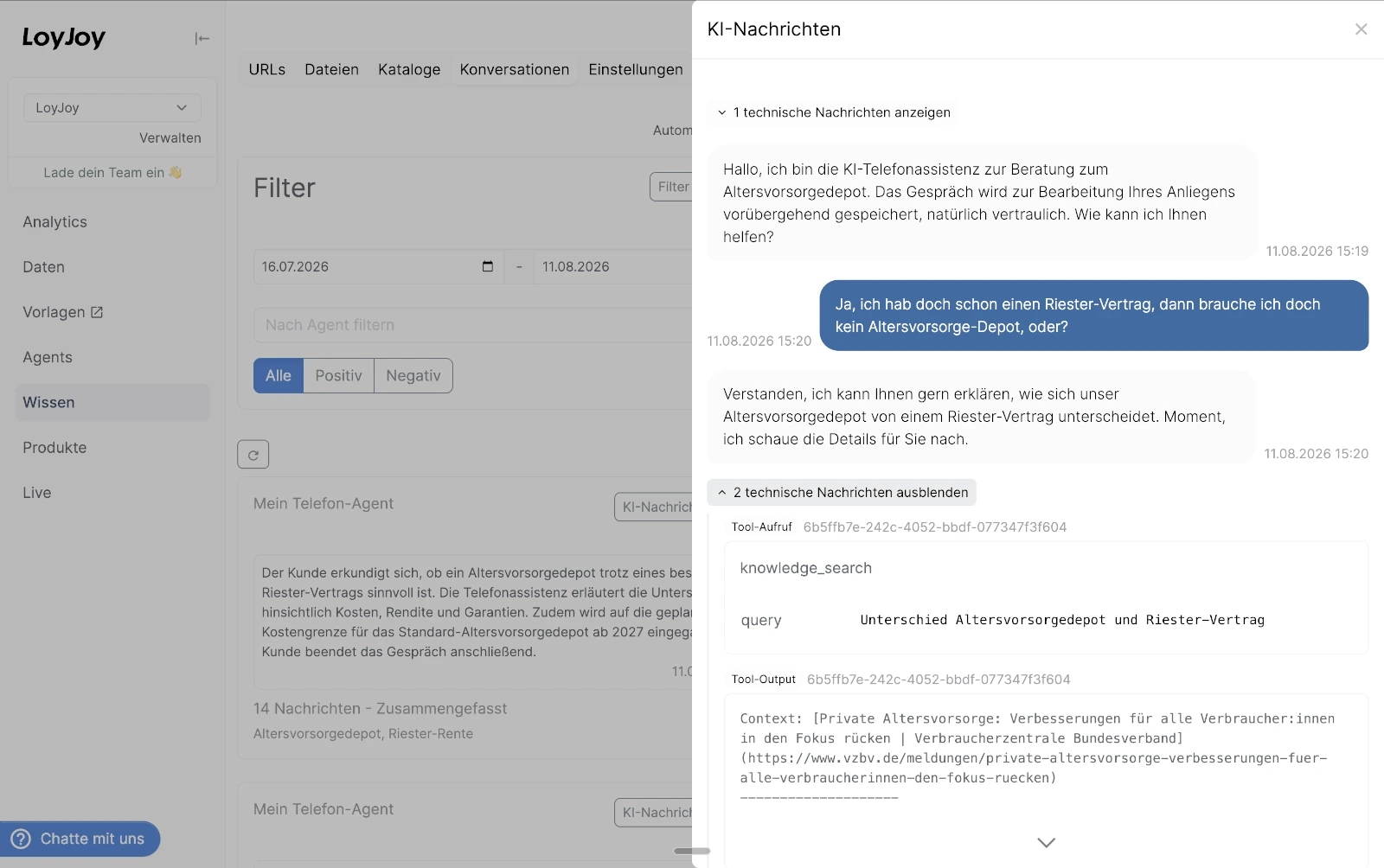
Hover over an answer and a button "View prompt" will appear. Here, you get an detail view of the question and how the answer was generated. For each question, you get the use generative AI model, the used tokens, the prompt and system message and the found sources. If the agent used any tools, such as a knowledge search or an external MCP tool, each tool call and its result are shown here as well, expandable under "technical messages".
Also you can download a csv file.
Analyze and export
Next to the filter you find an Analyze & Export panel that acts on the conversations matching your current filter (date range, agent, feedback, and resolution).
- AI quality check: analyzes the quality of your AI answers and suggests improvements.
- CSV export: exports the filtered conversations as a CSV file, one row per user turn including all related AI answers and tool calls.
How can I see which topics my customers are talking about?
For every conversation with an AI-generated summary, the AI also identifies 1 to 3 short topics that describe the customer's core concern (for example "Shipping Status" or "Voucher Error"). This happens automatically in the background — there is nothing to configure.
Click "Current Topics" above the message list to open an overview of these topics for the currently selected period. This feature is marked Beta and requires the Enterprise plan or higher; on lower plans the button is shown disabled with a badge indicating the required subscription.
The dialog shows:
- A donut chart with the distribution of topics.
- A list of topics sorted by how often they occurred, with the number of conversations for each topic.
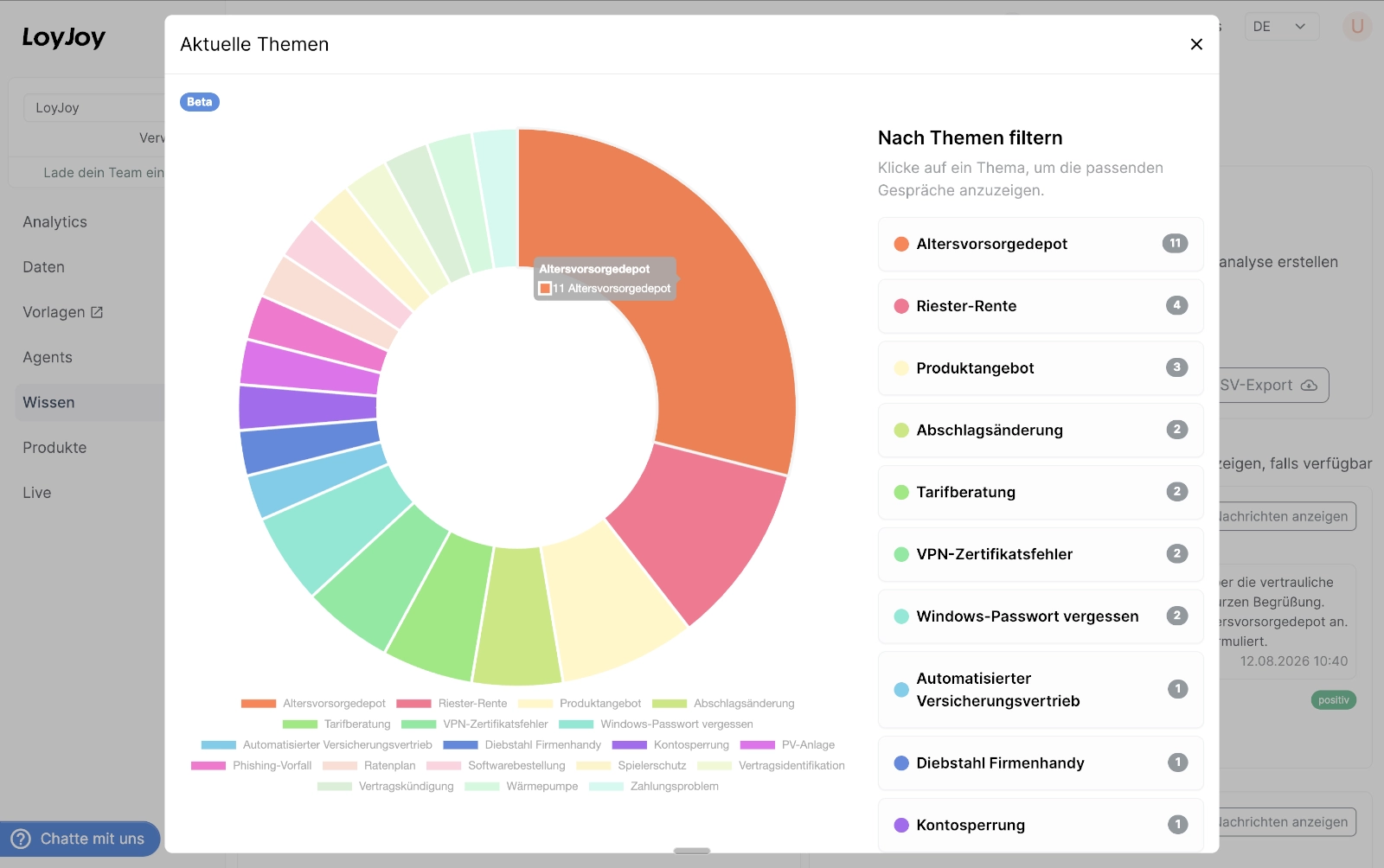
Both use the filters currently applied on the page (date range, agent, sentiment, internal/external IP address). Click a chart segment or a topic in the list to filter the conversation list down to that topic; a badge with the active topic appears above the list, which you can remove again by clicking the ✕ on it.
New topics are created as needed, but the AI reuses topic names already used for your tenant where they fit, so the list stays consistent over time instead of producing near-duplicate labels for the same subject.
Topics are only available for conversations that have an AI-generated summary. The most frequent topics across all agents are also included in the weekly performance report email.