Retrieval Augmented Generation
What is RAG
Retrieval Augmented Generation combines a search step over your own content with a large language model. For each user message, a semantic search retrieves relevant chunks from the knowledge base and passes them to the LLM as context. The LLM answers from that context instead of relying only on its training data.
LoyJoy has used this pattern since 2023 to ground AI Agents in customer-specific content.
How LoyJoy implements RAG
You maintain a knowledge base in LoyJoy by adding websites, uploading documents (PDF, DOCX, PPTX), or pushing data via API. LoyJoy generates vector embeddings for each chunk and stores them alongside the source text.
At runtime:
- The user message is embedded and matched against the knowledge base via semantic search.
- The top matching chunks form the context for the LLM call.
- The LLM generates the answer from prompt, conversation history, and the retrieved chunks.
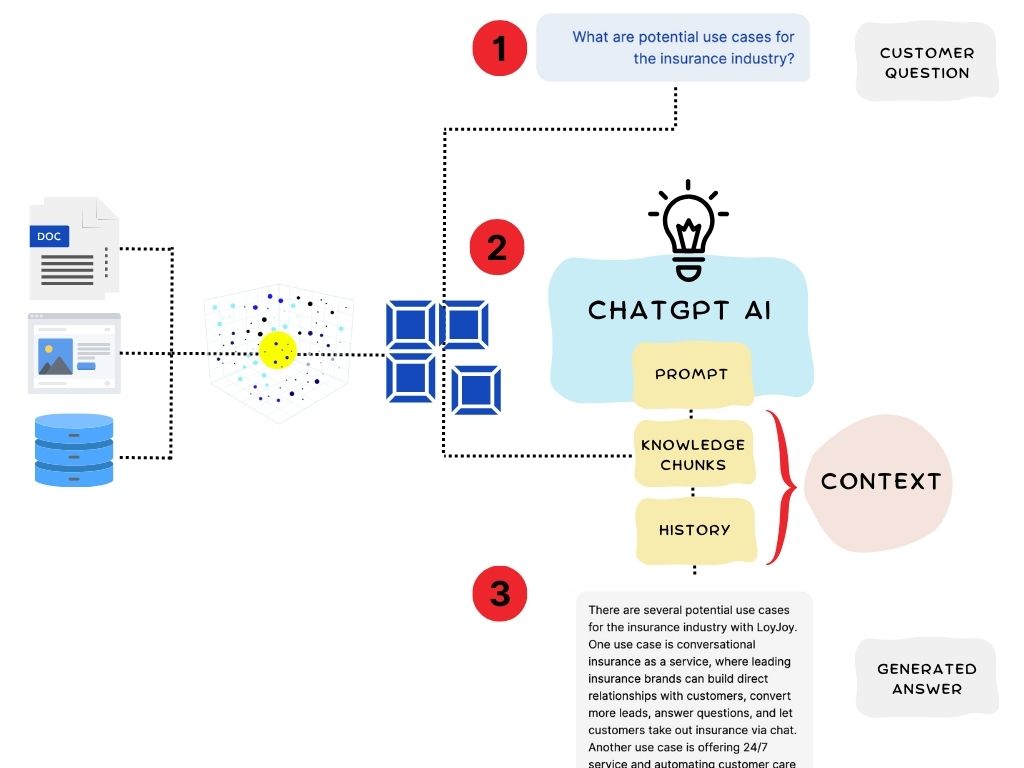
See the AI Knowledge module for module-level configuration such as chunk count, reranking, and question splitter. Manage inputs in Sources.
Curation best practices
Answer quality depends more on knowledge curation than on model choice.
- Quality over quantity. A focused knowledge base of relevant material beats indexing the entire company website.
- Avoid duplicates. Repetitive SEO-style content dilutes retrieval. Curate canonical sources.
- Match content to questions. Review the Conversations tab to see what the AI retrieves and how customers phrase their questions.
Set up RAG in LoyJoy
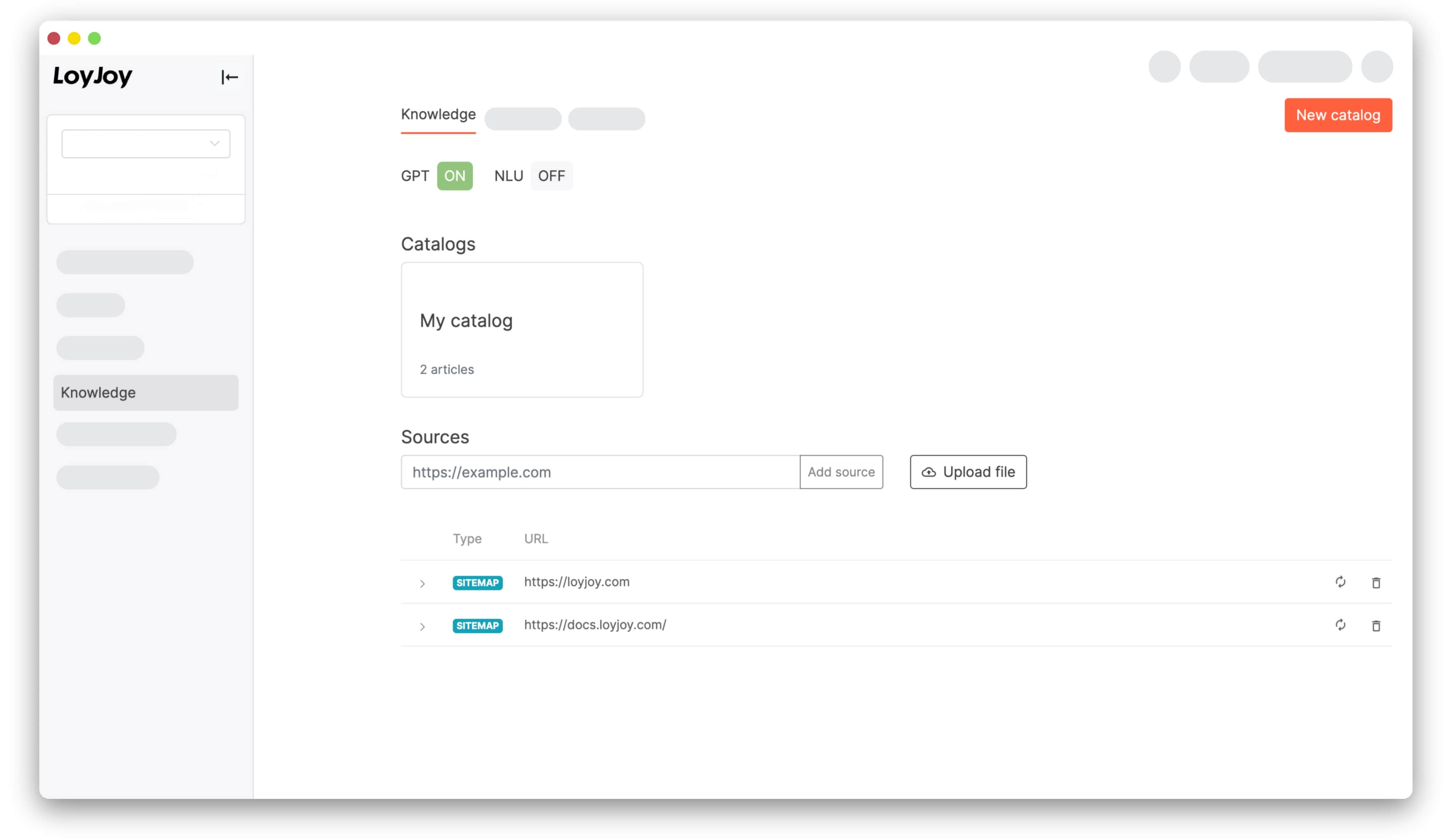
- Open an agent and go to the Knowledge tab.
- Add sources: paste a URL to crawl a website, or upload documents.
- LoyJoy inserts an AI Knowledge module into the process automatically.
For advanced flows with tool calling, web search, and multi-step reasoning, see the AI Agent module.