Tag Module
Introduction
The Tag Module utilizes tags for diverse purposes, from customer segmentation to optimizing product recommendations.
Typical Use Cases
- Customer Segmentation: Use tags like
fashionfor targeted marketing and personalized agents. - Recommendations: Strategically place tags in branches to track preferences for efficient product recommendations in combination with other modules such as product gallery or product feed.
How to Use the Module
-
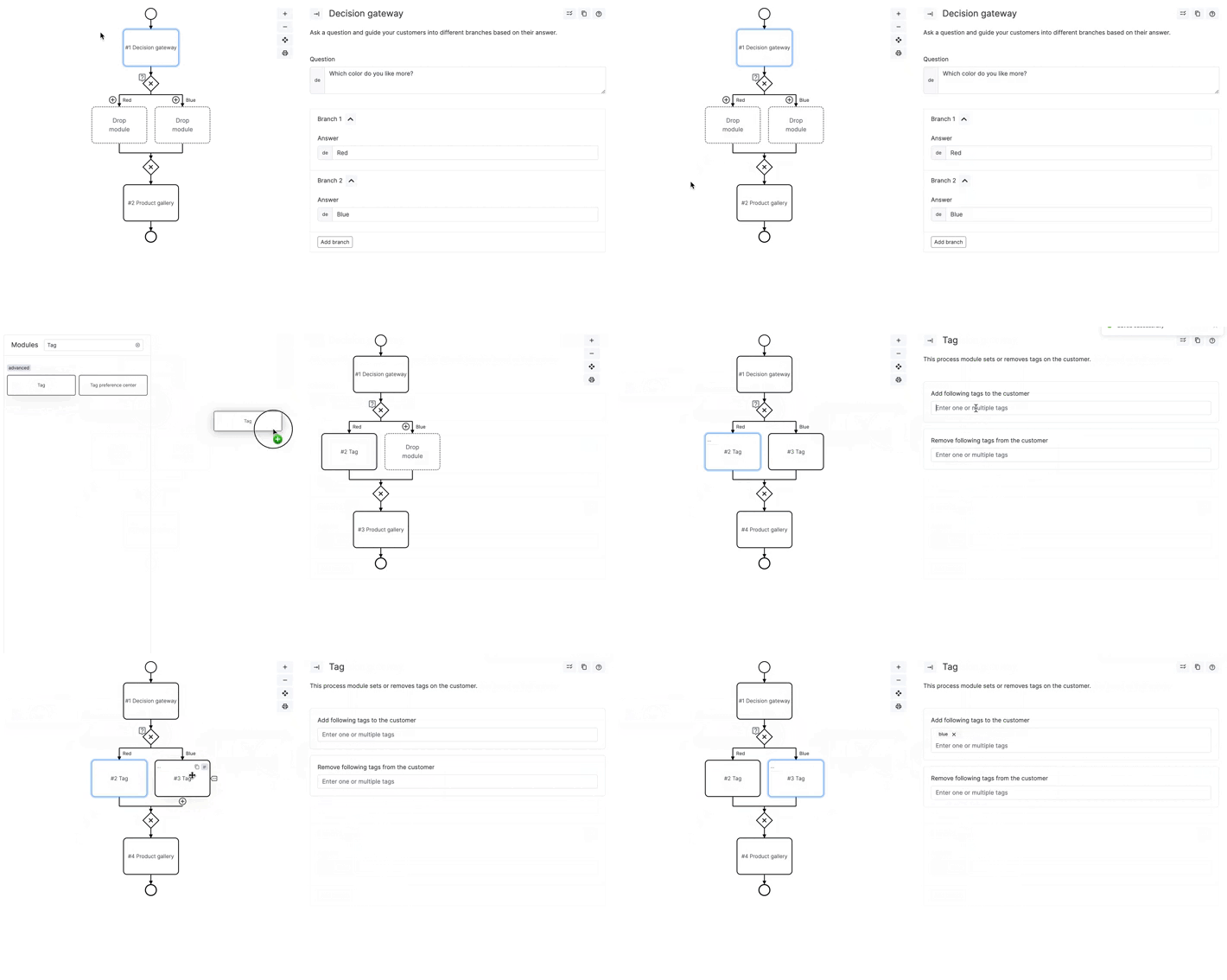
Adding Tags in Chatflow:
- Integrate the Tag Module after relevant branches.
- Example: Inquire about color preferences and add tag modules to
redandbluebranches.
-
Real-time Tag Deletion:
- Use the same Tag Module to delete tags during a chatflow.
- Helpful for excluding customer attributes based on specific question answers.
Useful Tips
- Regularly review and update tags for accurate customer segmentation.
- Experiment with different tag combinations for optimized chatflow responses.
- Combine tags with other modules. For detailed information on the recommender option, refer to the product gallery or product feed.