CSAT Survey Module
Introduction
Measure the Customer Satisfaction Score (CSAT) directly inside the chat. Customers rate their experience with a quick 1 to 5 rating and can optionally add a comment. The CSAT Survey Module captures how satisfied a customer is with a specific interaction, product, or service.
Typical Use Cases
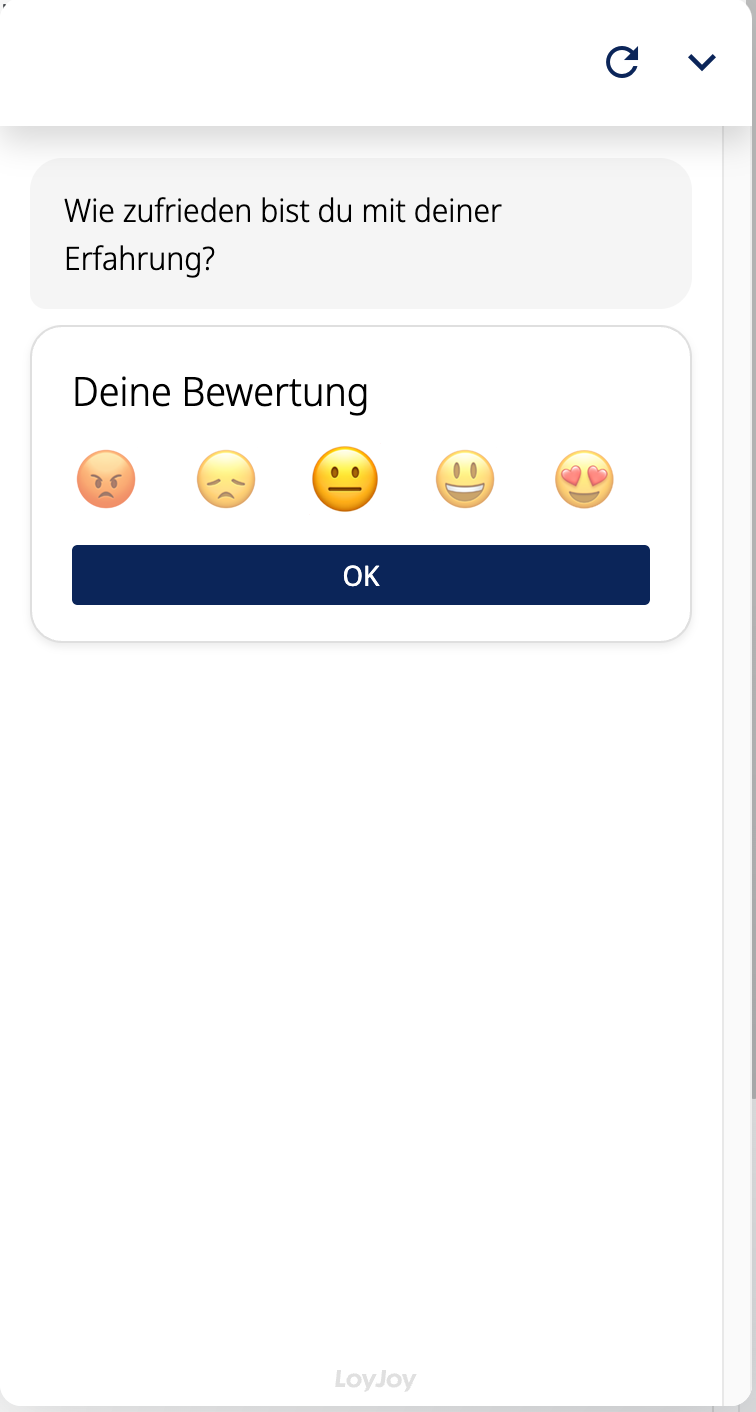
Place the module at the end of a service conversation, after an order, or following a support request to get immediate feedback while the experience is still fresh. The result helps you track satisfaction over time and identify where the customer experience can be improved.
How to Use the Module
Rating
Customers rate their experience using five rating options. You can display the rating as emojis or as numeric values from 1 to 5 and adjust the visual style to match your experience.
Question
Customize the question that introduces the rating, for example "How satisfied were you with our service?".
Follow-up feedback
Based on the rating, the module automatically asks a fitting follow-up question. You set a separate wording for each segment:
- Dissatisfied customers (1-2) can describe what went wrong.
- Neutral customers (3) can suggest improvements.
- Satisfied customers (4-5) can share what they liked most. Customers can optionally add free-text feedback for deeper insights.
Change rating
Decide whether customers are allowed to change their rating afterwards.
Animations
Optionally show an animation depending on the rating result.
Other texts
Choose the wording of additional texts such as placeholders and confirmations.
See Stats and Download Results
To access the results, visit the analytics of the agent. Click on the "Drill-down" tab ("Details" tab in German). Find the CSAT module and click on it. You can see the average CSAT score, the number of participations, and the distribution across the dissatisfied, neutral, and satisfied segments. You will also see a button to export the free-text comments as a CSV for further analysis.
Useful Tips
Use the CSAT variables in later steps of the same process to personalize the conversation or to trigger follow-up automations, for example offering help to dissatisfied customers or a coupon to satisfied ones.
Process-Specific Variables
This module generates variables that are accessible throughout the current process. They are only valid for this specific process and may evolve with platform updates.
csat_score: the rating the customer selected (1 to 5).csat_text: the free-text comment the customer entered. For a detailed list, check the process-specific variables list.